
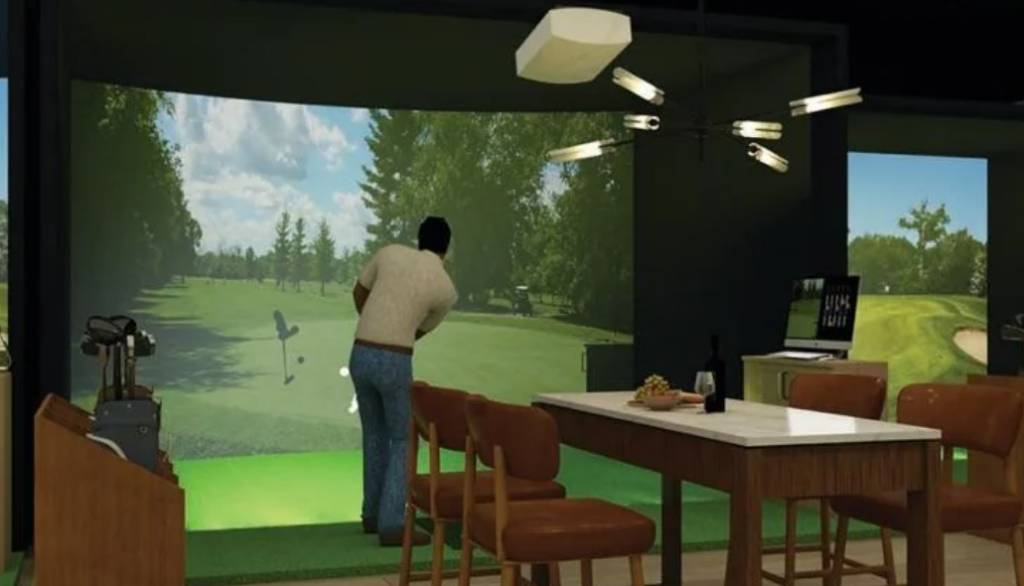
Most conversations about commercial golf simulator installation start and end
with the hardware spec sheet. Owners get dazzled by a Trackman iO demo, pull the trigger on
three bays, and then hand the build over to a general contractor who has never installed a
sub-floor turf system in his life. Six weeks later, they’re open — but they’re limping.
Calibration is off, the network is dropping connections mid-round, and the launch monitor is
throwing club-face errors because the ceiling mount is 4 inches too low. That lost revenue
during the re-build window? It’s gone forever. In my experience working with multi-bay
commercial facilities, the installation decision is the single highest-leverage variable
in your first-year P&L. This article breaks down exactly why — and what the 2026
economics actually look like when you get it right.
The Only Metric That Matters: RevPAH
Forget gross revenue for a moment. The number that determines whether your simulator facility
is a cash-flowing asset or an expensive hobby is RevPAH — Revenue Per Available Hour.
A three-bay facility running 14 operational hours per day has 42 available bay-hours to sell.
At a market rate of $40–$55 per hour per bay, your theoretical ceiling is somewhere between
$1,680 and $2,310 per day. The gap between theoretical and actual is almost entirely an
operations and infrastructure problem — not a marketing problem.
A professionally installed facility, built to spec by vetted commercial golf simulator
installers, routinely achieves 70–80% bay utilization within 90 days of opening.
A DIY or under-qualified build? I’ve watched owners struggle to crack 40% utilization
six months in because they’re still dealing with recurring hardware failures, software
misconfigurations, and the kind of ambient lighting problems that make camera-based systems
like the Foresight GC3 and Uneekor QED virtually unusable during peak afternoon hours.
Professional installation isn’t a luxury line item. It is the mechanism by which you
protect your RevPAH from day one.
The 2026 Commercial Tech Stack: What a Serious Build Actually Requires
The hardware landscape in 2026 has bifurcated sharply. On one side, you have consumer-grade
radar units like the FlightScope Mevo+ — excellent for garage setups, entirely inappropriate
for high-throughput commercial environments. On the other side, you have the commercial tier:
Trackman iO, Uneekor EYE XO2, and camera-based systems
like the Foresight GCHawk. These units require precision ceiling mounting,
dedicated network infrastructure, and — critically — specific room geometry that a
qualified installer designs around from the ground up.
Minimum Infrastructure Requirements for a Commercial Bay (2026 Standard)
- Ceiling Height: 11 feet clear minimum; 12–14 feet preferred for overhead
camera mounts (Uneekor, GCHawk) and full driver swing clearance for taller players. - Electrical: Dedicated 20-amp circuits per bay — shared circuits are
responsible for more mid-round system crashes than any software bug I’ve encountered. - Sub-Floor Turf Integration: Commercial-grade hitting surfaces require
a sub-floor system that absorbs impact repetition across thousands of monthly swings.
Consumer turf laid over concrete cracks within months and creates an inconsistent lie
angle that corrupts shot data. - Projector Specification: BenQ LU Series laser projectors
(LU9915 or equivalent) are the current commercial standard — short-throw, high-lumen output,
and rated for the continuous duty cycles a commercial environment demands. - Acoustic Mitigation: Impact panels and sound-dampening wall construction
are non-negotiable in a sports bar or mixed-use facility. Your dining room customers will
not tolerate the acoustic signature of 200 driver strikes per hour. - Network Infrastructure: Dedicated VLAN segmentation for simulator
systems, separate from POS and guest Wi-Fi. This is where most restaurant and bar owners
get burned — their IT vendor didn’t know what GSPro needs to run a stable multiplayer session.
None of these requirements are negotiable. None of them are obvious to a contractor
without specific experience in simulator construction. This is precisely why vetting
your golf simulator installation companies deserves as much diligence
as vetting your hardware vendor.
Software That Works While You Sleep: GSPro, E6 APEX, and Golf Genius Integration
Here’s where the economics get genuinely compelling — and where the 2026 technology
stack separates serious operators from the rest. The most significant labor cost lever
in a simulator facility is staffing. A two-person front desk operation running a
three-bay facility eats 30–40% of gross revenue before you’ve paid a single utility bill.
The answer is automated league and tournament infrastructure. GSPro,
paired with Golf Genius tournament management software, allows you to
run fully automated weekly leagues — handicap tracking, leaderboard updates, bracket
management — with minimal staff intervention. Golfers book online, check in via kiosk,
load their round, and compete in an organized league structure that keeps them returning
every week on a recurring reservation basis.
E6 APEX adds another revenue layer through its course library and
gamification modes, which are particularly valuable when positioning a golf
simulator for a sports bar environment — where the customer isn’t always a
scratch golfer, but they’ll happily pay for an hour of Top Golf-style competitive play
with their group.
A properly installed and configured tech stack — one where the network, the launch
monitors, and the software are integrated by someone who has done it before — is the
difference between a facility that runs itself during peak hours and one that requires
a technician on call every Friday night.
The CapEx Case: Section 179, Depreciation, and the True Cost of “Saving” on Installation
Let’s address the financial architecture of this investment directly. A three-bay
commercial facility — properly equipped with Trackman iO or Uneekor EYE XO2 units,
BenQ laser projectors, commercial turf systems, and full software licensing — represents
a total CapEx investment in the range of $180,000 to $320,000 depending
on build complexity, market, and enclosure type.
That number makes owners flinch. But here’s the financial context that changes the
conversation: under Section 179 of the IRS tax code, commercial
businesses can deduct the full purchase price of qualifying equipment placed in service
during the tax year — up to the current annual limit. Simulator hardware, projectors,
and related technology infrastructure typically qualify. Bonus depreciation schedules
further accelerate the write-down on leasehold improvements.
Work with a CPA who understands commercial entertainment assets. The after-tax effective
cost of a professionally installed facility is materially lower than the sticker price suggests.
The Hidden Cost of Under-Qualified Installation
What owners routinely underestimate is the compounding cost of a bad install. Consider
the math: a three-bay facility losing just 10 operational hours per week to downtime —
calibration re-runs, hardware resets, software conflicts — loses approximately
$1,600–$2,200 per week in RevPAH at market rates. Over a 52-week year, that’s
$83,000 to $114,000 in lost revenue that no tax deduction recovers.
The premium charged by a certified commercial installer — typically 15–25% above a
general contractor’s bid — pays for itself within the first quarter of operations.
Building the Business Model: What the Numbers Look Like
If you’re in the early stages of modeling your facility economics, I’d point you
directly to the comprehensive startup model that Yardstick Golf has assembled — it covers pro-forma modeling, staffing ratios,
and pricing strategy in a level of detail that every prospective operator should review
before signing a lease.
A well-modeled three-bay facility in a secondary market (lower build costs, $35–$45/hr
bay rate) with 65% utilization across 14 daily hours generates approximately
$580,000–$720,000 in annual gross revenue. In a primary market with
premium pricing, those numbers scale accordingly. The variables are utilization,
operational efficiency, and — circling back — the reliability of your installation.
What to Look for in a Commercial Golf Simulator Installer
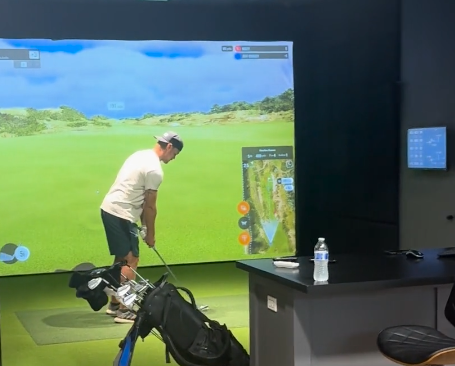
Not every contractor who advertises simulator installation has commercial credentials.
When I evaluate installer qualifications for a commercial build, here’s what I
actually look for:
- Manufacturer Certification: Trackman, Foresight, and Uneekor all
have authorized installer programs. A contractor without certification from the
hardware manufacturer you’re deploying is a liability, not a vendor. - Commercial Portfolio: Ask for references from multi-bay
commercial installations — not residential builds. The complexity is categorically different. - Network & AV Integration Experience: Simulator facilities
are as much an AV and IT project as they are a construction project. Your installer
needs demonstrated competency in both. - Post-Install Support Agreement: A white-glove commercial installer
offers a structured SLA (Service Level Agreement) for post-installation support.
If they don’t, you’re on your own at 7 PM on a Saturday when your launch monitor
goes offline mid-league night. - Software Configuration Expertise: GSPro, E6 APEX, and Golf Genius
integrations require hands-on configuration knowledge. Verify this before you sign.
Find a Verified Commercial Installer — Before You Sign a Lease
The single most expensive mistake I see commercial operators make is finalizing a
lease and committing to a build-out timeline before they’ve engaged a qualified
installer. Room geometry, electrical load requirements, and HVAC specifications all
need installer input before a lease negotiation closes — because those infrastructure
commitments become your problem the moment you sign.
Our Verified Commercial Installer Directory connects sports bar owners,
gym operators, and commercial real estate entrepreneurs with white-glove contractors
who specialize exclusively in multi-bay, revenue-grade simulator facilities. Every
installer in our directory has been vetted for manufacturer certification, commercial
installation experience, and post-build support capability.
Search the Verified Installer Directory now
— and engage a commercial specialist before your build timeline locks you into decisions
that are expensive to reverse.
Comments